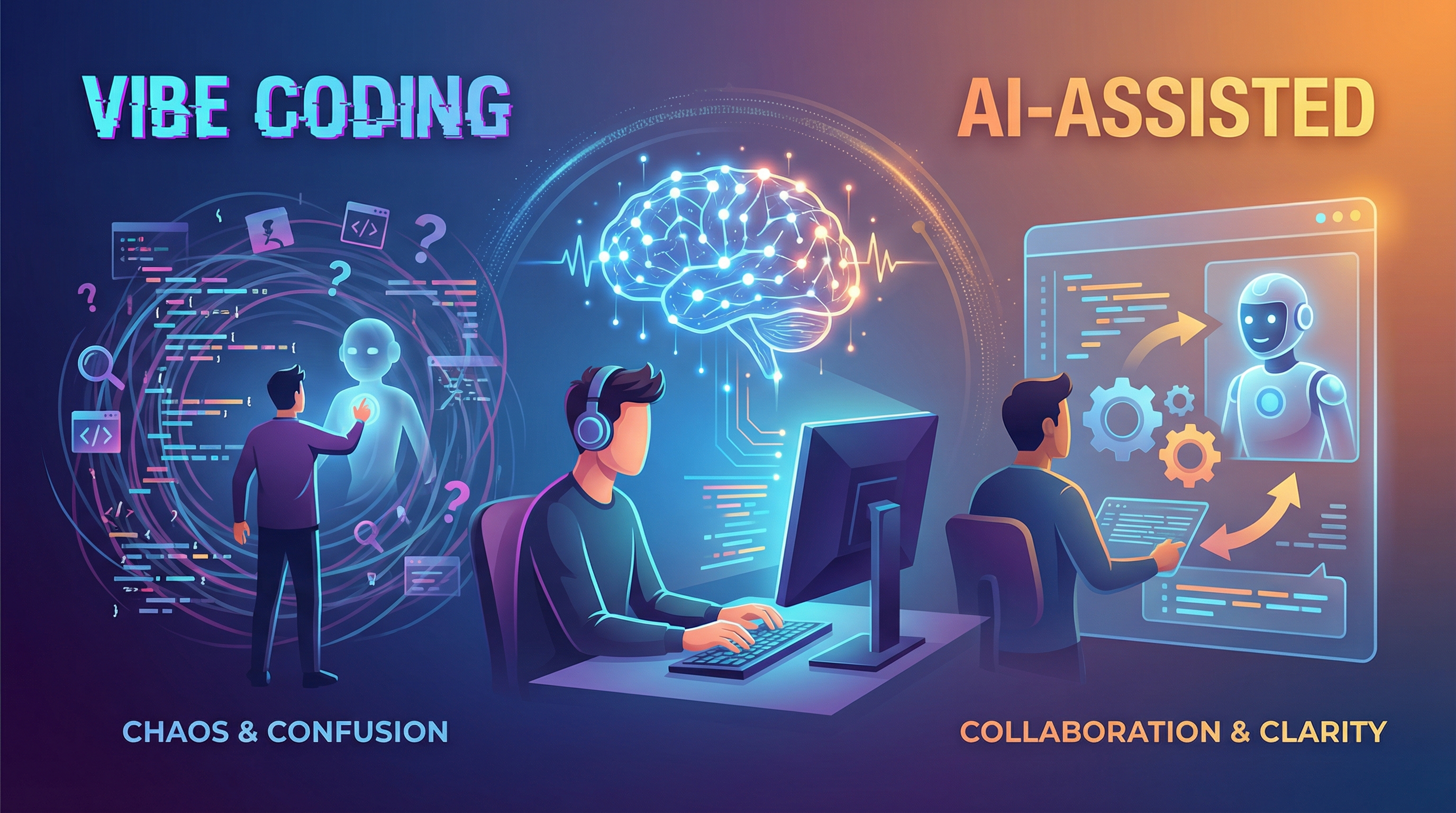
There’s been a lot of chatter on social media about vibe coding and now vibe coding versus AI-assisted development. I have posted several times about the fact I do not like the term vibe coding. Vibe coding to me is people that are not developers, people that are not software engineers, go to something like a bolt.new and say “build me this website”. They have no clue what they’re doing, they have no clue how to program, they have no idea what good UI/UX is. It’s literally vibe coding. What I prefer to call it, for what I do, is AI-assisted coding or AI-assisted development. For me, I use AI to help me write code and not just say, “hey AI, make this and do this.”
The things I’ve read about AI-assisted coding and vibe coding, and the things I’ve posted on, have prompted me to write this post.
AI coding tools have taken off over the past couple of years, and with them has come a whole new vocabulary. You’ve probably heard terms like “vibe coding,” “AI-assisted development,” “prompt engineering,” and “copilot pairing” thrown around in discussions, blog posts, and conference talks. But what do these terms actually mean, and more importantly, what do they mean for you as a developer?
I think about this stuff a lot, both because I use AI tools daily in my own work and because I mentor developers at various stages of their careers. The distinction between vibe coding and AI-assisted coding isn’t just about words. These are fundamentally different approaches to building software, with real implications for skill development, code quality, and long-term career growth.
What Is Vibe Coding?
Vibe coding is a term that gained popularity more recently, describing a workflow where the developer essentially treats the AI as a black box that produces code. You give it a prompt, you get code back, you paste it in, and you move on. The developer’s job becomes writing prompts rather than writing code. The “vibe” comes from the feeling that you’re building something—you see code appear, tests pass, features work—but the actual engineering thinking has been outsourced entirely to the AI.
Now, vibe coding isn’t inherently evil or wrong. Sometimes you need to get something working quickly and you don’t care about the implementation details. Maybe it’s a one-off script, a prototype, or a tool you’ll use exactly once. In those contexts, vibe coding is perfectly reasonable. I’ve definitely used AI to generate throwaway code that I’d never ship to production, and I’m sure you have too.
The problem emerges when vibe coding becomes your default mode, especially for code that matters. When you stop understanding what your code does, you become unable to debug it, maintain it, or explain it to others. You lose the ability to make informed decisions about trade-offs because you never made those decisions in the first place—the AI made them, and you just accepted them.
There’s also a subtler issue with vibe coding: it feels productive. You’re typing prompts, seeing results, shipping features. But shipping without understanding is borrowing against tomorrow. You might move faster today, but you’ll pay for it when things break and you have no idea why.
What Is AI-Assisted Coding?
AI-assisted coding, on the other hand, is a collaborative process where the developer uses AI as a tool to augment their own abilities rather than replace their thinking. The human remains in the driver’s seat, making architectural decisions, understanding the code, reviewing what the AI produces, and taking responsibility for the final result.
In practice, AI-assisted coding might look like asking an AI to generate a first draft of a function, then reviewing it, modifying it, and understanding it before integrating it into your codebase. It might mean using AI to explain unfamiliar code patterns, suggest improvements to your own implementation, or help you navigate a new framework. The AI is a collaborator, not a substitute for your expertise.
The difference comes down to who’s driving. In vibe coding, you hand off the problem to the AI and hope for the best. In AI-assisted coding, you use AI to move faster while keeping ownership and understanding of what you’re building.
The Real-World Difference
Here’s how these two approaches actually play out. Say you’re building a new feature that involves processing webhooks, validating incoming data, updating a database record, and sending a notification.
With vibe coding, you might paste a prompt like “write me a Rails webhook handler that validates JSON, updates the user model, and sends an email” and paste the resulting code directly into your app. It might work initially. But when the webhook fails silently because the validation logic doesn’t match the actual data shape, you’re stuck. You don’t know what the code does, so you don’t know where to look. You might spend hours debugging something that would take minutes if you had written it yourself.
With AI-assisted coding, you’d still use AI to help, but differently. You might ask for a draft of the webhook handler, then review it line by line. You’d check that the validation matches what you actually need. You’d add tests yourself—maybe ask AI to help generate test cases, but you’d review and run those tests. When something breaks, you understand the flow well enough to debug it. You’ve still done the engineering work; you’ve just used AI to help with some of the execution.
Why This Distinction Matters for Junior Developers
If you’re earlier in your career, this distinction is especially critical. Junior developers are building their mental models of how software works. They’re learning patterns, developing intuition, and forming habits that will stick with them for decades. If you start with vibe coding as a habit, you skip the crucial phase of actually learning how to code.
I remember when I was first learning to program, I learned by making countless mistakes. I wrote code that didn’t work, debugged it, fixed it, and in the process built an understanding of how things actually functioned. That struggle was essential to my development. If I’d had an AI that could just “solve” my problems for me back then, I would have missed all those learning opportunities.
None of this means junior developers shouldn’t use AI tools—they absolutely should, and those who embrace AI thoughtfully will likely accelerate their learning. But the goal should be to use AI to enhance learning, not to bypass it. Ask AI to explain code rather than just generate it. Use AI to help you understand why your code isn’t working, rather than just asking for a fix. Treat AI as a mentor who can answer questions instantly, not as a replacement for the struggle that builds expertise.
Finding Your Balance
The reality is that most of us operate somewhere on a spectrum between these two extremes. There are moments when vibe coding makes sense, and there are moments when you need deep, careful, AI-assisted collaboration with yourself in full control. The skill is knowing when to use which approach.
A useful heuristic is to ask yourself: “If this code breaks in production at 2 AM, will I be able to debug it?” If the answer is no, you probably need to understand it better—and that might mean rewriting it yourself rather than pasting in AI-generated code. If the answer is yes, and it’s a low-stakes situation, vibe away.
Another heuristic is to ask what you’re learning. If you’re in a learning phase—picking up a new language, exploring a new framework—minimize vibe coding and maximize assisted coding. Use AI as a tutor, not a crutch. When you’re in maintenance mode on familiar territory, you can be more liberal with AI assistance.
The Path Forward
The future of software development isn’t about choosing between human coding and AI coding. It’s about figuring out the right way to work together. The developers who do well will be the ones who understand both their own strengths and the capabilities (and limitations) of AI tools.
Vibe coding is tempting because it feels easy and fast. But easy and fast rarely lead to mastery or maintainable software. AI-assisted coding takes more effort, sure. You have to think, review, understand. But it leads to better outcomes and you actually get better at your job over time.
The fundamentals of software engineering still matter. Understanding data structures, thinking through algorithms, designing systems, debugging effectively. AI can help you execute faster, but it can’t replace the thinking that makes you a good engineer.
So be intentional about how you use these tools. Ask yourself whether you’re using AI to get better or to avoid getting better. That distinction matters more than most people realize.